
Table of contents
Find an Item on your Farm
The new Find item on your farm feature allows you to… find items on your Farm 😊.
Here’s How it works:
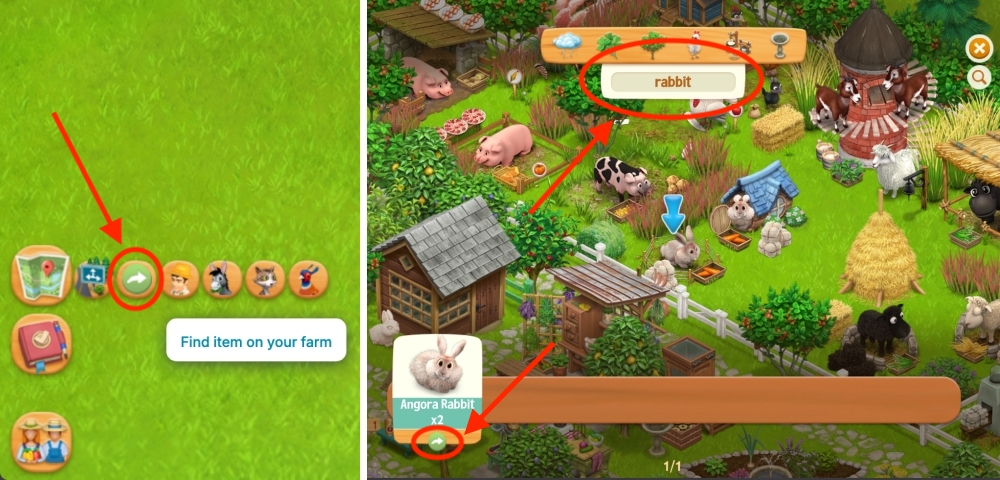
- Hover over the Map button and select Find Item on Your Farm.
- Enter the name of the item you’re looking for in the search bar (for example, “rabbit” in the photo below).
- Click the arrow below the item/results. The game will point you to it by displaying a blue arrow on your farm. If you have more than one of the same item (x2 Angora Rabbits in the photo below), press the arrow repeatedly to cycle through each one.
Search your Warehouse
Your Warehouse has a Search bar, too. Here’s how it works:
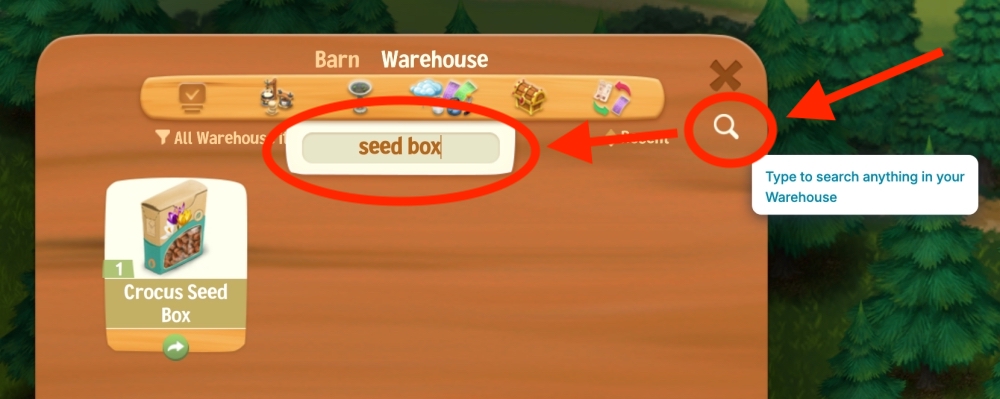
- Click the Search button in the top-right corner of your Warehouse.
- Type the name or a keyword for the item you’re looking for (for example, “seed box”).
PS: Make sure you select the Warehouse tab, not the Barn 😊.
Search your Barn
You can quickly find items stored in your Barn using the Search feature.
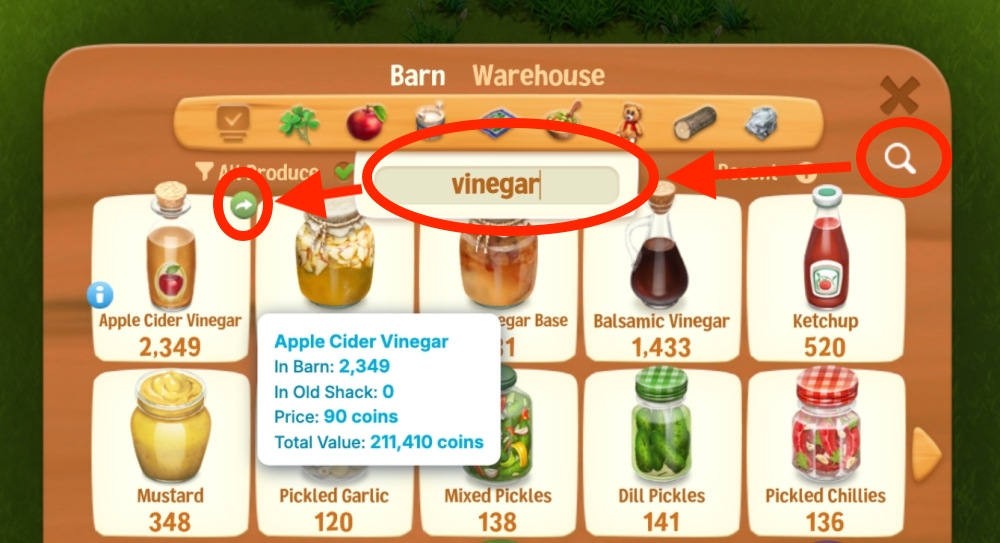
- Click the Search button in the top-right corner of your Barn.
- Type the name or a keyword for the item you’re looking for (for example, “vinegar”).
- Optional: Hover over the item and click the arrow to be taken directly to the Gear, Animal, or Building that produces it.
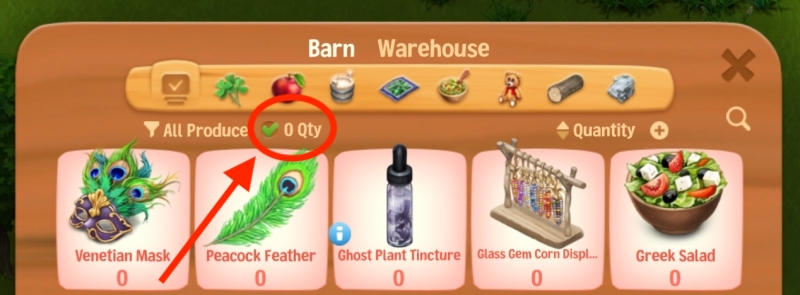
Tip: If you can’t find the item, make sure the “0 Qty” (Zero Quantity) option is checked. This will include items you don’t currently have in your Barn.
Search the Shop
You can also find items available in the Shop using the Search feature.
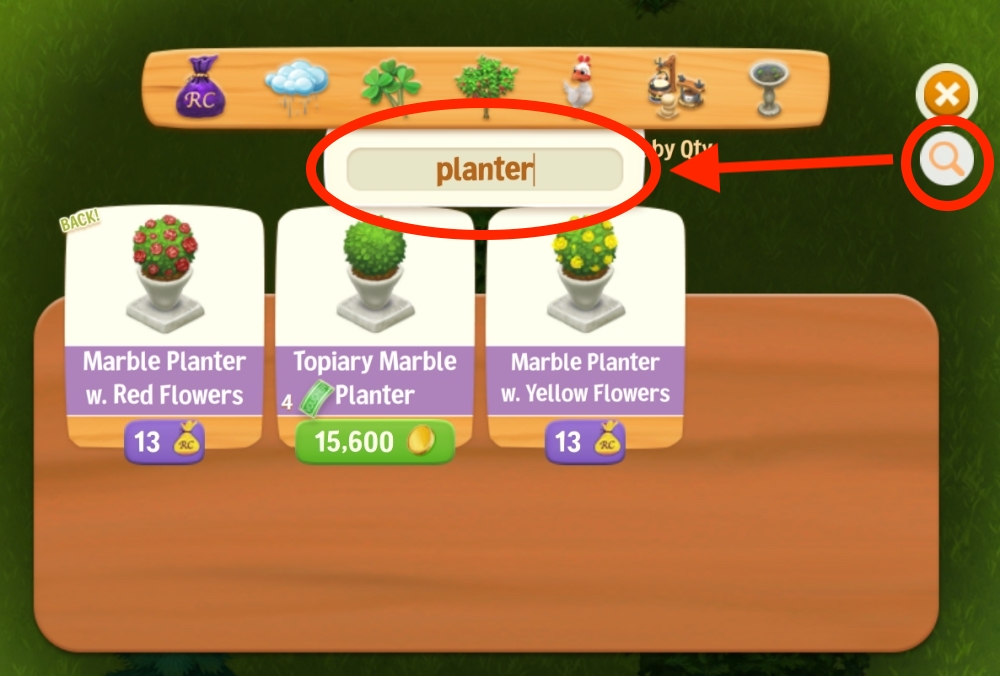
- Click the Search button in the top-right corner of the Shop.
- Type the name or a keyword for the item you’re looking for (for example, “planter”).
PS: As with all premium items previously offered as Event rewards or through special deals, these items may become available in the Shop in the future. However, we can’t guarantee if or when that will happen. The best way to obtain them is by completing the Event or purchasing the special offer while it’s available.