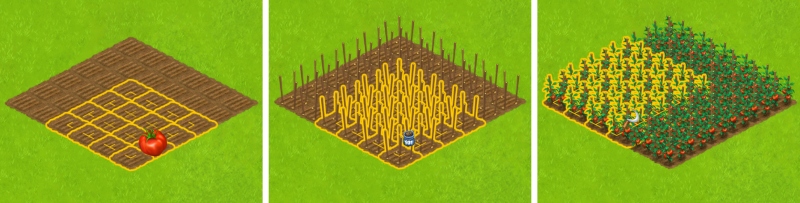
- Add more Plots
- Remove a Plot (Sell Tool)
- Types of Plant Beds
- Plots to Work | Work more than 1 Plot at a time
In Country Life Meadows, almost everything you grow needs its own type of bed or plot. Understanding the different kinds of beds will help you manage your land more efficiently.
Plant Beds (also called Plots) are the basic tiles you use to grow regular crops such as wheat, vegetables, and flowers. You create them with the Plow Tool. Once a Plant Bed is ready, you can plant seeds on it.
Add more Plots
To create new Plant Beds:
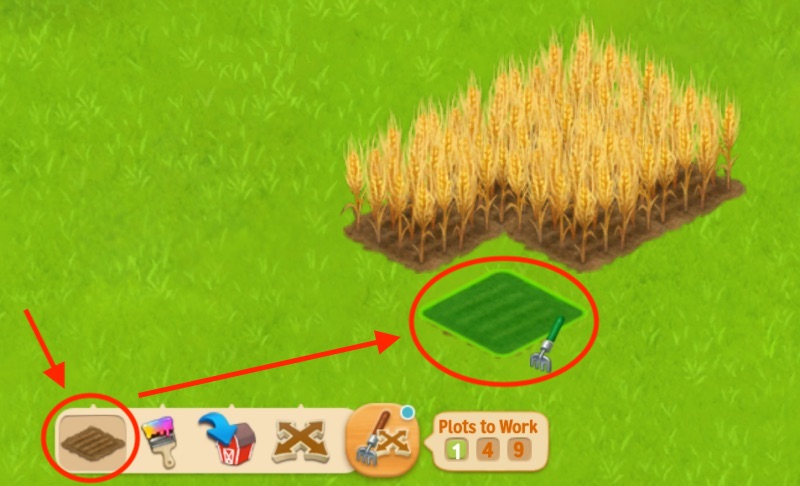
- Open Tools and select the Crop Field Plow Tool.
- Click on empty ground on your farm where you want to place the new plot.
You can also expand your farm by buying new land lots. This increases the total number of Plots, Tree Beds, Animals, and Gear you can have.
Remove a Plot (Sell Tool)
If you want to remove a Plant Bed, Shrub Bed, Grapevine Bed, or Tree:
- Open Tools.
- Hover over the Add to Warehouse button and select the Sell Tool
- Click on the plot or plant bed you want to remove.
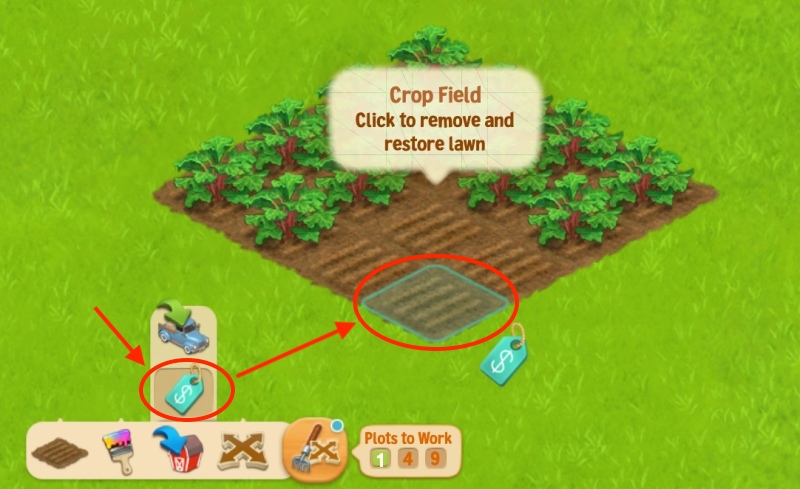
Note: If the plot has Sprinklers, they will be sent to your Warehouse instead of being deleted.
Types of Plant Beds
There are four main types of beds in the game: Plant Beds (see above), Tree Beds, Shrub Beds, and Grapevine Beds
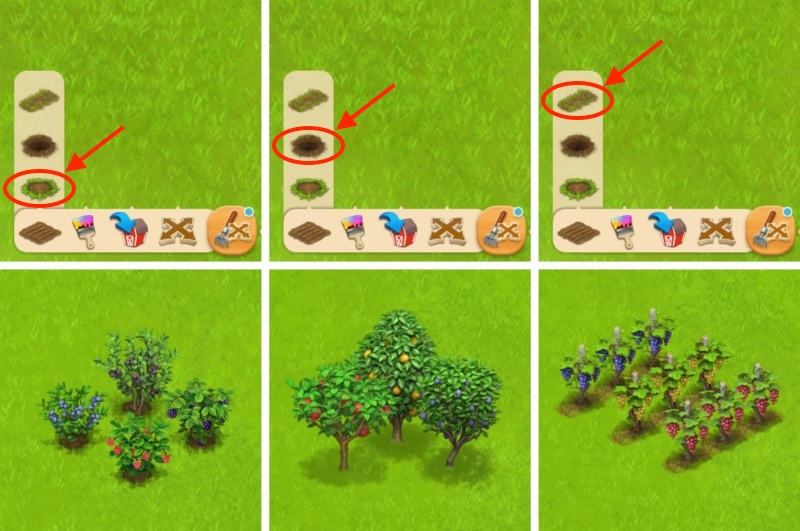
Plots to Work | Work more than 1 plot at a time
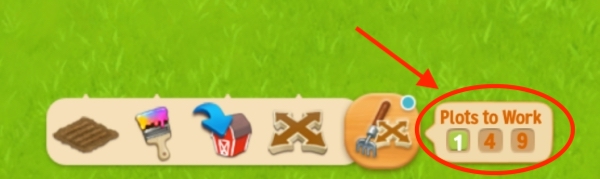
The Plots to Work multitool lets you plant, harvest or fertilize several plots at a time.
How to use it:
- Click the Tools button (rake and move icon) at the bottom of the screen.
- In the Plots to Work menu, choose how many plots you want to work at once:
- 1 — Default setting. No OPs used.
- 4 — Uses 1 OP per plot.
- 9 — Uses 1 OP per plot.
This works with Plant Beds, Shrub Beds, Grapevine Beds, Tree Beds, and Fertilizer.
Notes:
- You only spend OPs on the plots that are actually worked (pay-per-use).
- You still earn 1 XP for every crop you harvest, no matter how many plots you select.
- With good placement, you can harvest up to 16 plots at once.